
Winston logging to OpenObserve
Centralized logging for Node.js apps.
- Install OpenObserve. Installation is simply downloading and unzipping the single binary. OpenObserve runs externally by default with no option to change this behavior, so you may need a firewall to restrict the access. I used ufw.
- Create a 'data' directory in the same location as the OpenObserve binary. Start OpenObserve:
ZO_ROOT_USER_EMAIL="<email>" ZO_ROOT_USER_PASSWORD="<password>" ZO_DATA_DIR="$PWD/data" ./openobserve > /dev/null 2>&1 & - Add winston as a dependency to your Node.js app.
- Create logger.js:
import winston, {transports} from "winston"; const options = { level: 'debug', host: 'localhost', port: '5080', path: '/api/<organization>/<stream>/_json', auth: { username: '<email>', password: '<password>', }, ssl: false, batch: true, batchInterval: 5000, batchCount: 10, }; export const log = winston.createLogger({ transports: new transports.Http(options), exceptionHandlers: new transports.Http(options), exitOnError: false }) - Import and use the logger in the application:
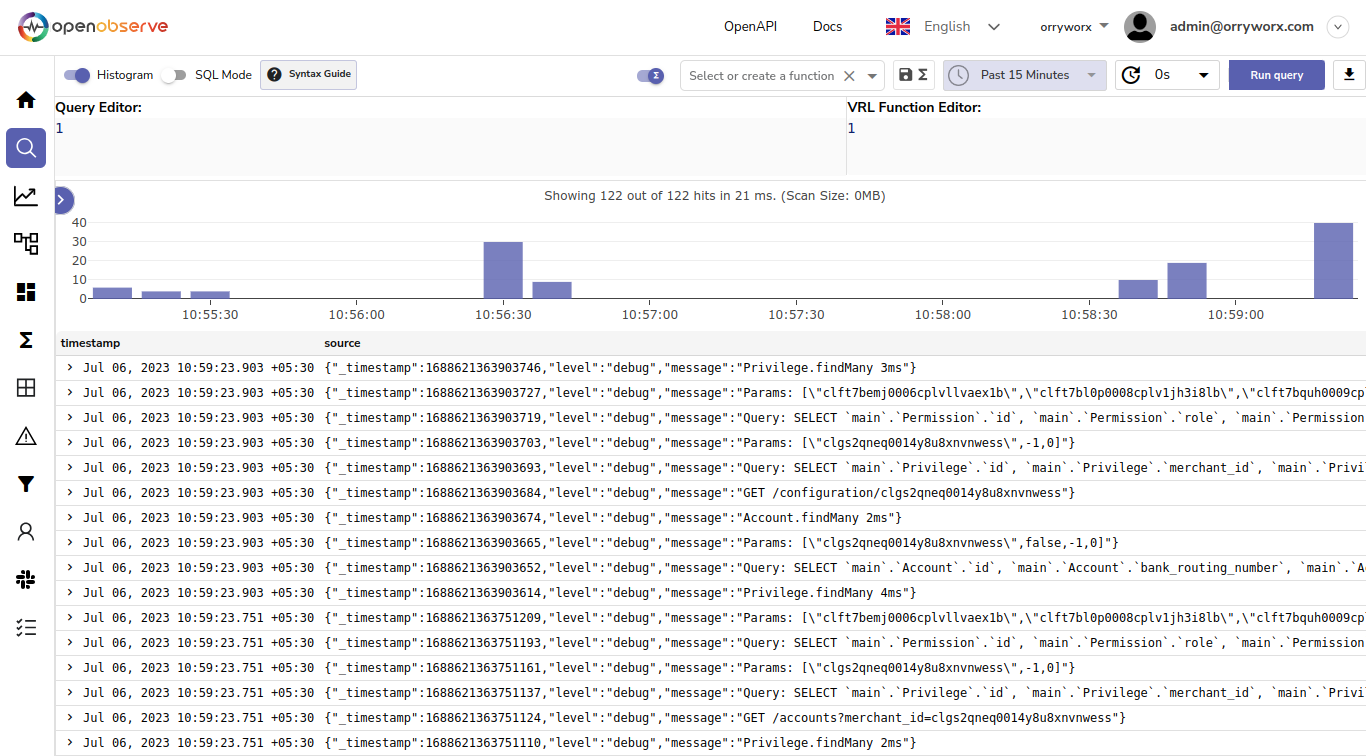
import {log} from "$lib/logger.js"; export async function handle({ event, resolve }) { log.debug(event.request.method + ' ' + event.url.pathname + event.url.search); ... - Run the application and view the logs in OpenObserve:
No Comments